Master's Research Project 2025: ICUrWave
ICUrWave is a Mobile Interactive NMES Therapy Training App designed as a refresher for physiotherapists to review their knowledge and maintain or refine their NMES therapy skills.
Demo Video 2025
[Target Audience] Targeting all-level physiotherapists (including students)
who already have fundamental theoretical knowledge of NMES, but less confident applying it in clinical situation(especially unresponsive patients in ICU).
[Project Goals] Build confidence in applying NMES for unresponsive ICU patients
Long-term goal: Promote NMES as a practical option when other therapies are limited by patient condition or resource availability
[Problem] Complexity of NMES Application and Challenge in Learning
Effectively applying neuromuscular electrical stimulation (NMES) involves multiple layers of complexity: identifying motor points, positioning electrodes accurately, and adjusting stimulation parameters based on treatment goals. Achieving optimal muscle contraction demands practical experience, yet access to hands-on training is often limited. Moreover, eliciting patient feedback is essential to tailor treatment strategies in real time.
[Our Visual Solution]
🔹 Patient scenario-based decision modules that provide an engaging, practical learning experience
🔹 Interactive 3D muscle model with motor point mapping to enhance spatial understanding
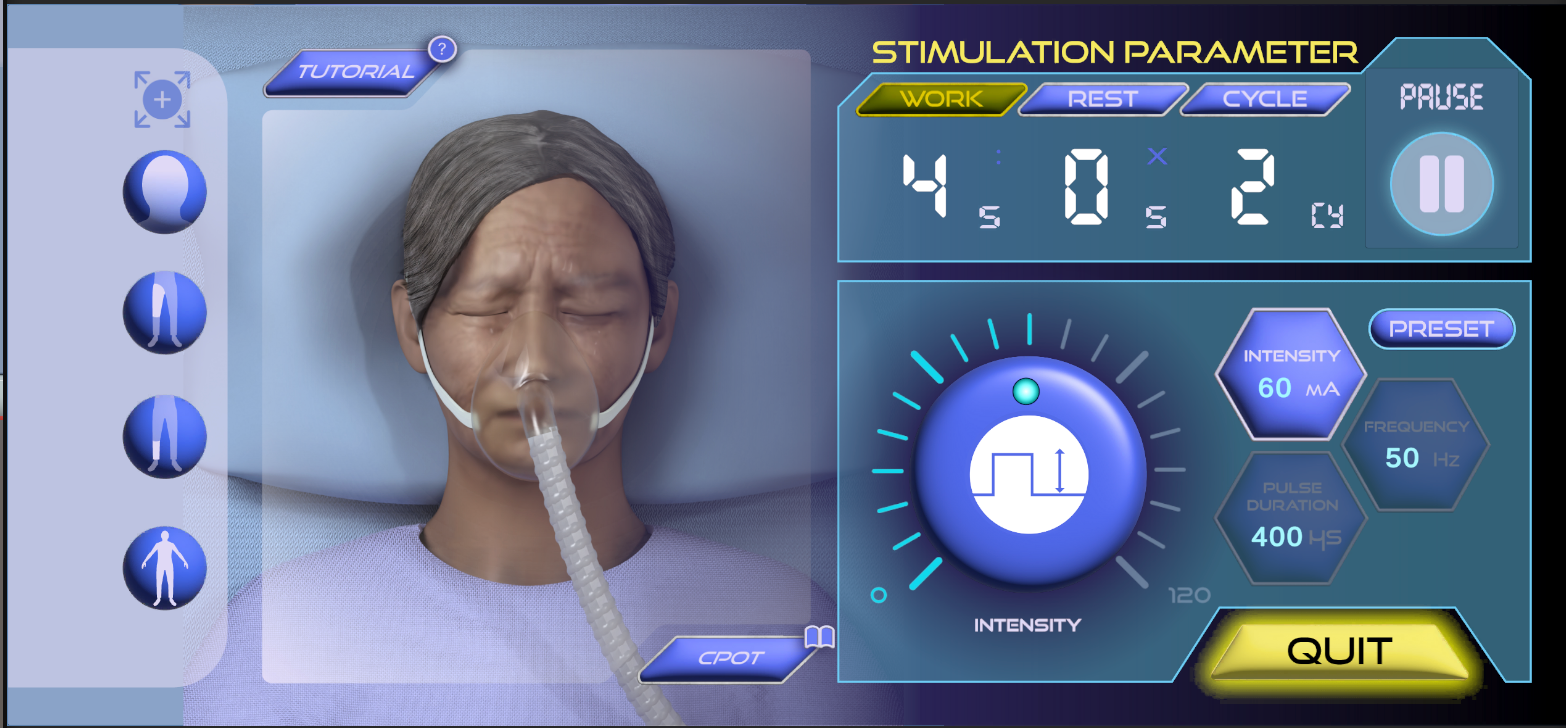
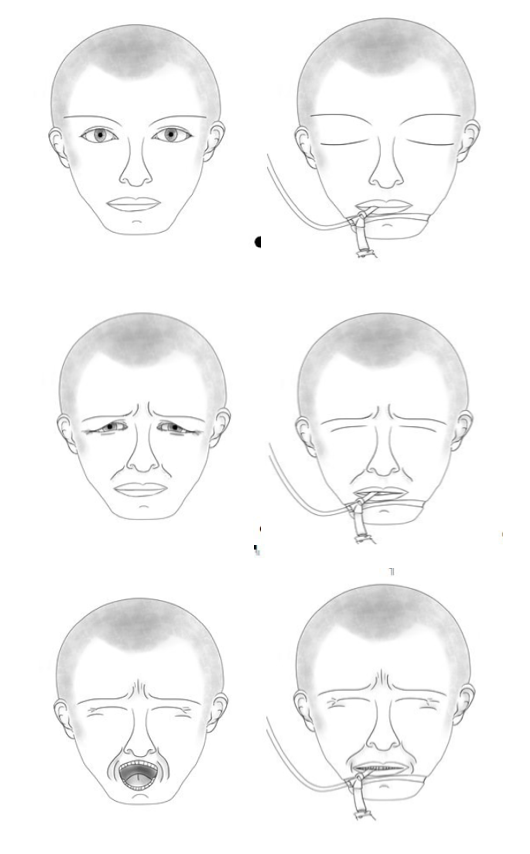
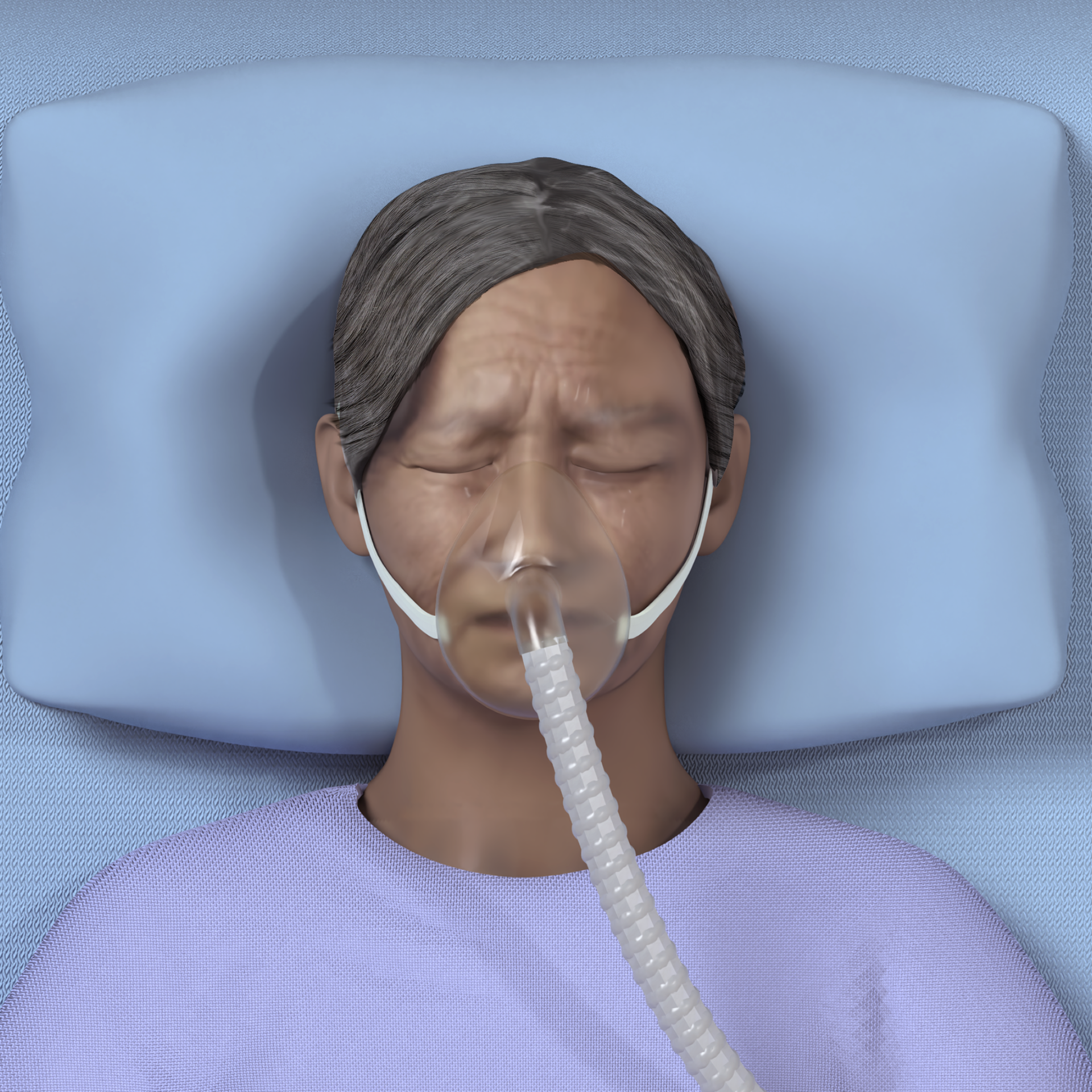
🔹 Visualize animated muscle contraction responses and alert cues, such as patient discomfort indicated through their facial expressions.
🔹 Access anytime, anywhere (Advantage of mobile app)
Pre-Production Stage 🤔💭


Lit Review

Challenge and Solution

01-A. Selecting Media - AR?

01-B.Selecting Media - Web App?

01-C.Selecting Media - Mobile App?

02. Refining Content - User persona

02. Refining Content - Clinical Decision Making Tree

Initial Concept Wireframe for Main Scene
Asset Preparation 🚀
Challenge 01. Electrode Placement Visualization: How to project a 2D element onto a 3D model surface?

Reference Image - Atlas of Muscle Innervation Zones

ZBrush

Maya - animation

Unity - Decal project

Skin Layer Real-Time Feedback
ICUrWave Approach: 1) 3D Model Preparation in ZBrush and Maya – Using diagrammatic illustrations and text descriptions from the Atlas of Muscle Innervation Zones, the muscle model was built and polypainted (texture map generated) in ZBrush. The model was then imported into Maya, where a UV map was created and the mesh was separated into the target electrode placement area and the non-target areas.
2) Interaction in Unity - The decal projector follows the user's touch input, projecting onto the surface of a 3D object. Muscle belly of Quadriceps and Tibialis Anterior would have separated mesh collider applied, so depending on where they interact, the system provides real-time text feedback, either “Stimulation ineffective” for incorrect placement or “Stimulation effective” for successful placement. Users can toggle a MP mode to reveal the correct target area on the muscle. When the MP mode is turned off (skin layer ON), users must place the projector without visual guidance.
2) Interaction in Unity - The decal projector follows the user's touch input, projecting onto the surface of a 3D object. Muscle belly of Quadriceps and Tibialis Anterior would have separated mesh collider applied, so depending on where they interact, the system provides real-time text feedback, either “Stimulation ineffective” for incorrect placement or “Stimulation effective” for successful placement. Users can toggle a MP mode to reveal the correct target area on the muscle. When the MP mode is turned off (skin layer ON), users must place the projector without visual guidance.
Challenge 02. Patient Model Visualization: How to render realistic patient facial expressions driven by user input?

Zbrush

start frame

end frame
ICUrWave Approach: 1) 3D Model Preparation in ZBrush and Maya – Patient face sculpted in Zbrush starting from a free base mesh provided by 3D Scan Store, rendered in Maya.
2) Interactive Frame Control for Pre-Rendered Animation in Unity
① Loads a stack of images
The script stores a sequence of pre-rendered facial images (PNG files): public Sprite[] frames;.
The script stores a sequence of pre-rendered facial images (PNG files): public Sprite[] frames;.
② Plays at a set speed
It advances through those images at a set speed: public float frameRate = 24f;.
It advances through those images at a set speed: public float frameRate = 24f;.
③ Listens to the user’s input, intensity value
When the user starts the treatment by pressing the ‘Play’ button, the system reads the current intensity value: valueText.
When the user starts the treatment by pressing the ‘Play’ button, the system reads the current intensity value: valueText.
if (value >= 60) { minFrame = 0; maxFrame = Mathf.Min(frames.Length - 1, 96); }
else { minFrame = 0; maxFrame = Mathf.Min(frames.Length - 1, 24); }
else { minFrame = 0; maxFrame = Mathf.Min(frames.Length - 1, 24); }
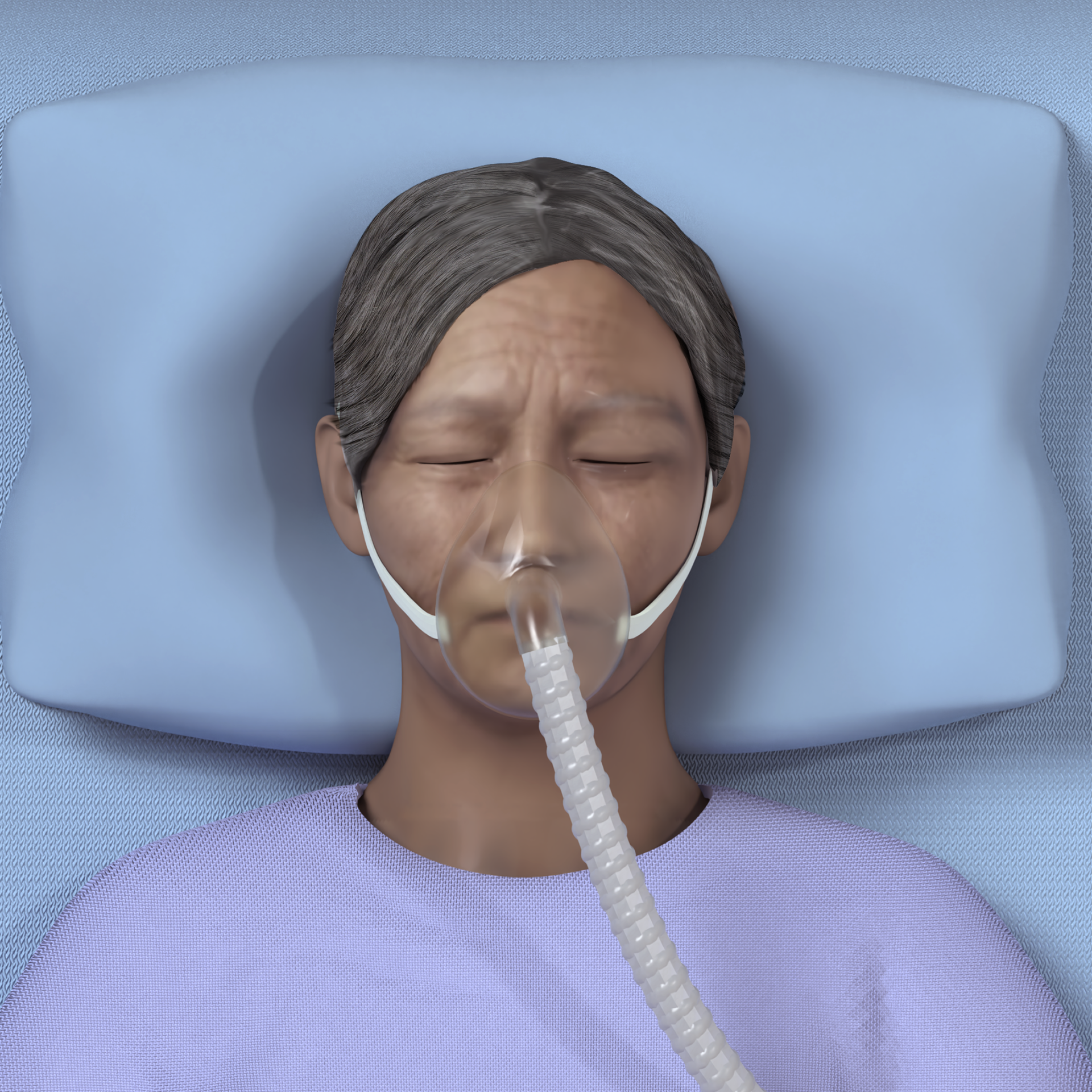
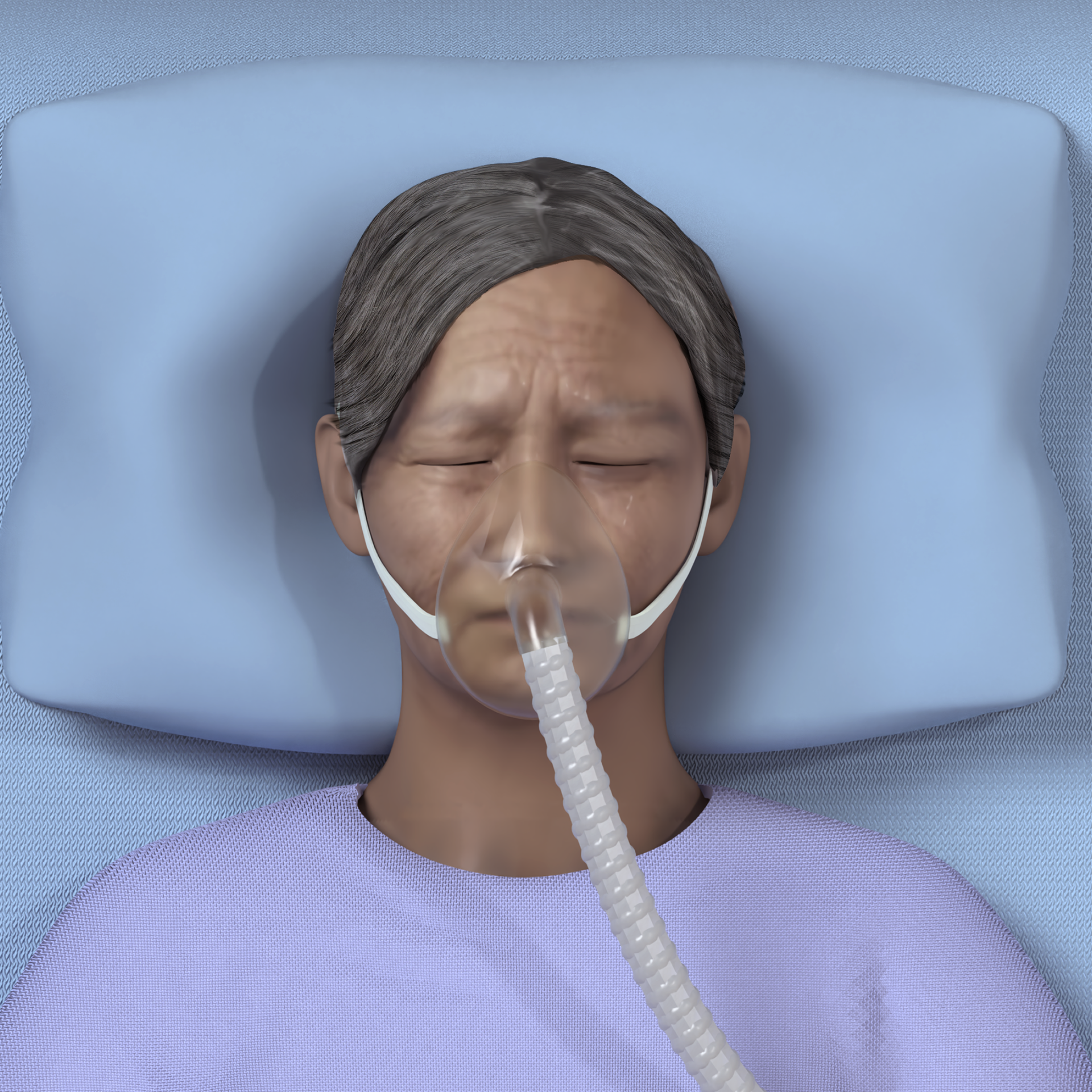
⚡️High intensity (≥ 60): play frames 0–96 → The pre-rendered animation then plays fully, showing a stronger facial expression of the patient’s discomfort.
⚡️Low intensity (< 60): play partially, frames 0–24 → the facial expression feels subtle.
④ Ping-pong motion for a smooth transition
It moves forward through the selected frames and then back again, which avoids a jarring stop.
It moves forward through the selected frames and then back again, which avoids a jarring stop.
if (forward) { currentFrame++; if (currentFrame >= maxFrame) { forward = false; } }
else { currentFrame--; if (currentFrame <= minFrame) { forward = true; } }
else { currentFrame--; if (currentFrame <= minFrame) { forward = true; } }
Main Features 🎉
🔹 Feature1: Patient Scenario Selection based on Treatment Goals
Users can select specific scenarios under three main treatment goals: increasing muscle strength, enhancing muscle endurance, and improving range of motion. For example, a stroke patient in the ICU falls under 'Increase Muscle Strength'.

User Learning Goal #1 Finding Motor Points

User Learning Goal #2 Choosing the Appropriate Stimulation Parameters

User Learning Goal #3 Practicing How to Monitor Patient Discomfort

User Learning Goal #4 Practicing How to Recognize the Full Contraction of Muscle

Pop up panel to access info pages

Scenario Selection based on treatment goal

Detailed patient information
🔹 Feature2: Selecting the Appropriate Treatment Area and Stimulation Parameters
Users switch patient positioning, select the treatment area, and receive immediate feedback on their choices. They can manually adjust each parameter value or use the preset button to view the recommended parameters for the specific scenario selected.

Step-by-Step Guidance, Treatment Area

Step-by-Step Guidance, Work/Rest/Cycle Setting

Step-by-Step Guidance, Intensity/Frequency/Duration Setting

Treatment Area Selection

Immediate Feedback for Wrong Selection

Change Patient Positioning

Stimulation Parameter Set Up - Preset Values
🔹 Feature3: Electrode Placement - Size Selection, 3 way toggle button
Users can drag the appropriately sized electrodes and place them onto the treatment area. While hovering electrodes over the certain area, users receive immediate feedback indicating whether they are above the motor point or not. A 3-way toggle allows switching between skin, muscle, and motor point views with electrodes displayed. A reset button clears selections and enables repositioning.


Drag and Drop Electrodes - Immediate Feedback

Drag and Drop Electrodes - Skin Layer

Drag and Drop Electrodes - Muscle Layer

Drag and Drop Electrodes - MP Layer

Drag and Drop Electrodes - Tibialis anterior

Reset Button for Repositioning
🔹 Feature4: Patient Monitoring - Detect discomfort via subtle facial expression changes
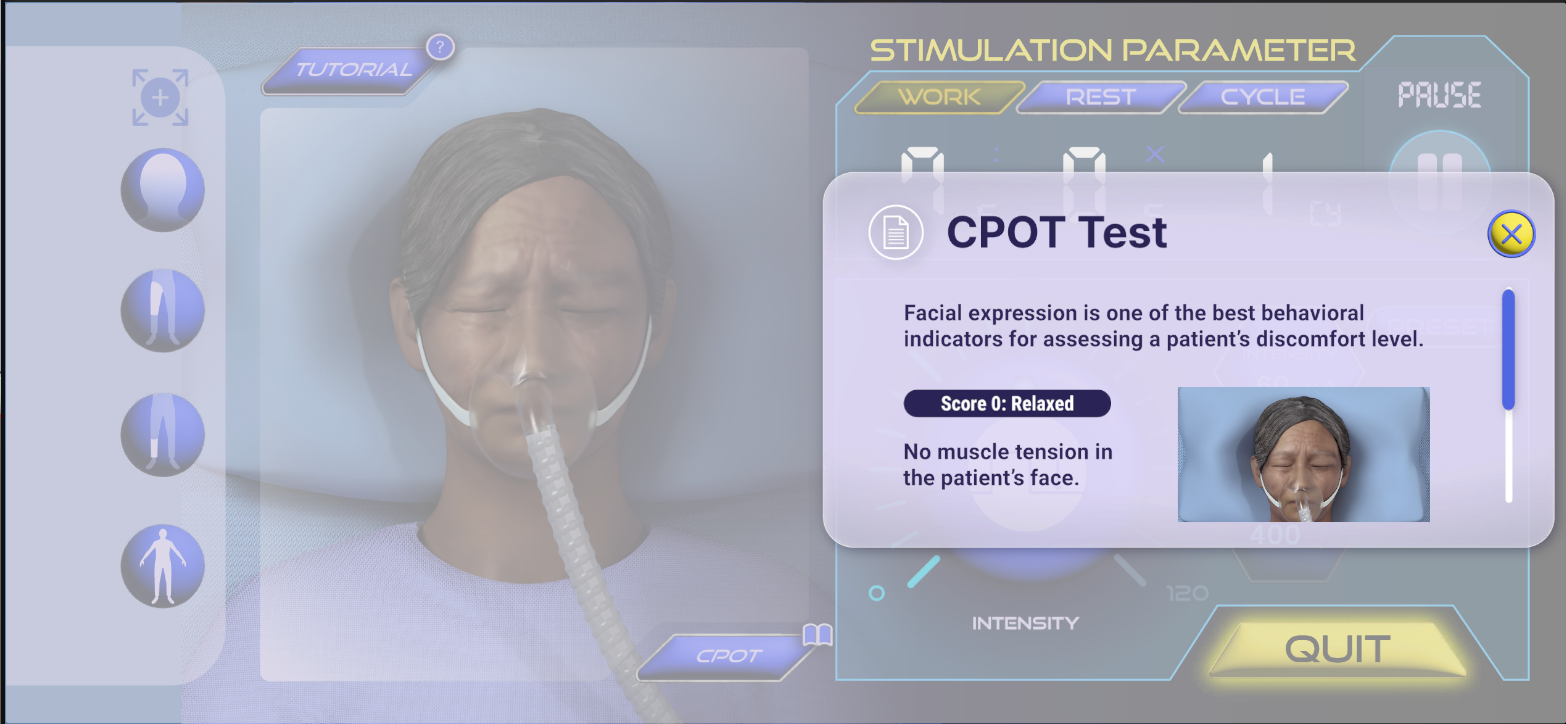
Detecting patient discomfort through non-verbal feedback is especially important for ICU patient cases. Users can observe subtle changes in the patient’s facial expressions during the work time. Signs of discomfort ease as intensity values are lowered.
Literature Reference
CPOT Score1
CPOT Score2
CPOT Score3
Additional Reference